What makes this strategy different
Most strategy pages focus on entries and exits. What matters more is how a strategy behaves as market conditions change. This strategy is designed around a regime-aware framework that adjusts its behavior based on volatility, opening-range context, and market structure rather than applying the same trade logic to every session.
Regime-aware by design
The strategy evaluates volatility and opening-range conditions to determine whether breakout behavior or range behavior is more appropriate. It is designed to respond differently when conditions favor expansion versus when conditions favor rotation.
Breakout and range logic are separated
Instead of forcing one trade style into every market, the strategy uses distinct logic paths. In stronger expansion conditions it can favor breakout behavior. In quieter or more rotational conditions it can favor reaction and fade behavior around Initial Balance boundaries.
Volatility-normalized trade management
Trade management is based on volatility-relative movement rather than fixed distances alone. Stops, break-even behavior, and targets are designed to scale with current market conditions so the strategy is not relying on one static environment.
Directional asymmetry
Long and short trades are not treated identically. The strategy accounts for differences in how markets often behave in each direction, allowing more room for development on one side and faster protection on the other when appropriate.
The objective is not to force trades in every condition, but to align trade behavior with the type of market that is actually present. That helps reduce low-quality setups while still allowing participation when conditions support expansion.
Strategy Access & Subscription
The standalone strategy subscription includes licensed access to the strategy software. It is provided as a protected NinjaTrader installation package and runs entirely within the user's own NinjaTrader environment. It has no free trial and does not include TradeReign rules-engine access.
The strategy does not rely on TradeReign to execute trades or operate. However, an active subscription is required to maintain authorized access to the strategy.
Once access is enabled, customers can download the protected NinjaTrader import package and generate their license key from the Strategy Access page.
Access may be disabled if the subscription becomes inactive. Users are responsible for managing their subscription status and understanding how it impacts continued access.
How the strategy works
The default Prop Firm profile builds an opening range and an Initial Balance, then uses volatility and market context for breakout and certain rejection-reversal behavior. IB Range fade entries are available in the strategy but are disabled by the default Prop Firm preset.
Breakout trades
The strategy watches for confirmed closes outside the opening range when volatility and range context favor breakout behavior.
IB range fades
An optional Manual-mode feature can look for qualified reactions around Initial Balance high or low. It is not enabled by the default Prop Firm preset.
Rejection reversals
The default profile can react to certain failed breakout conditions with rejection-reversal behavior, while older standalone reversal toggles remain off by default.
The default configuration is provided as a starting point only and is not a recommendation. Users are solely responsible for deciding whether and how to configure or use the strategy.
View the default configuration overviewSample trades from strategy configurations
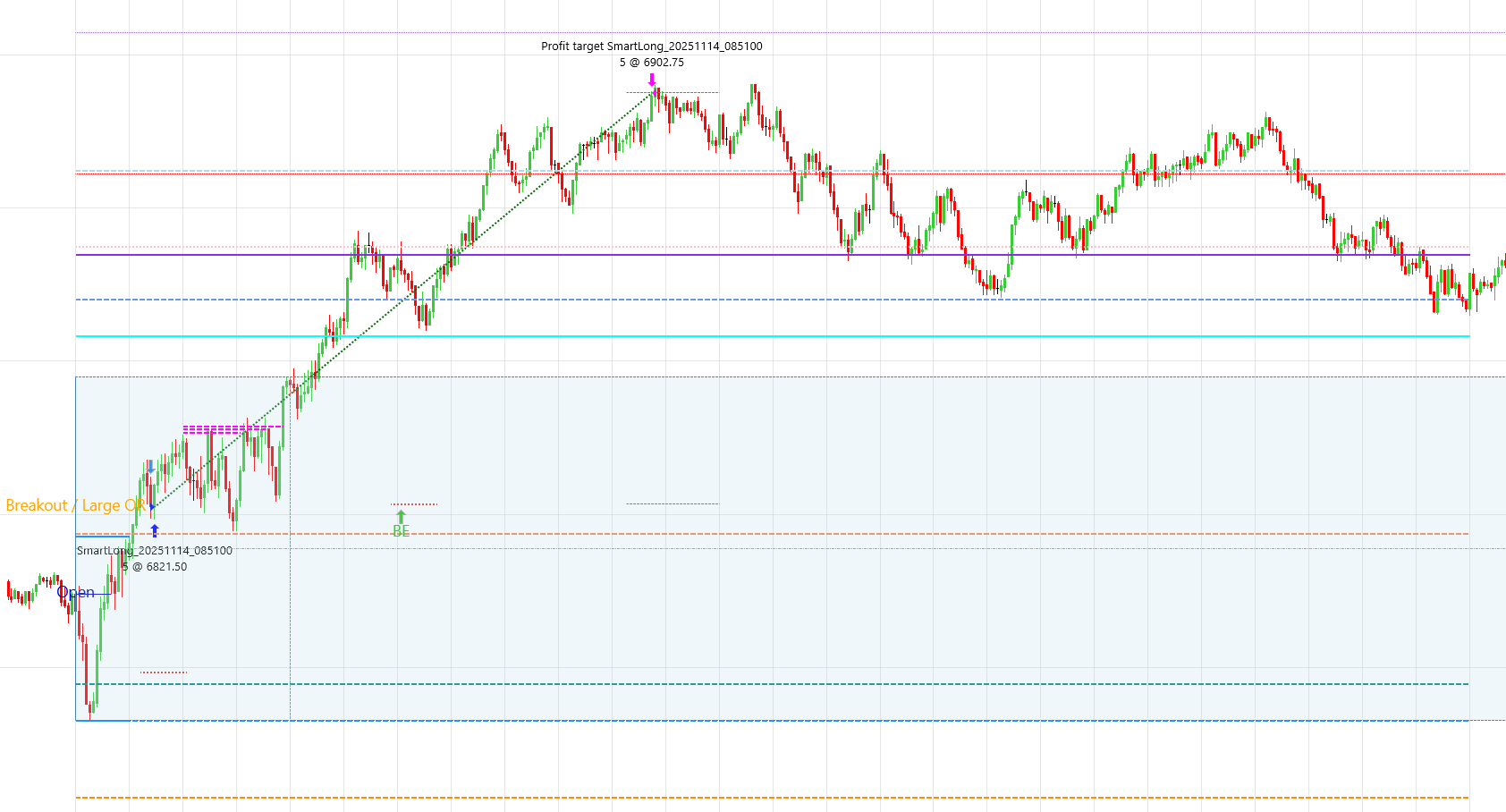
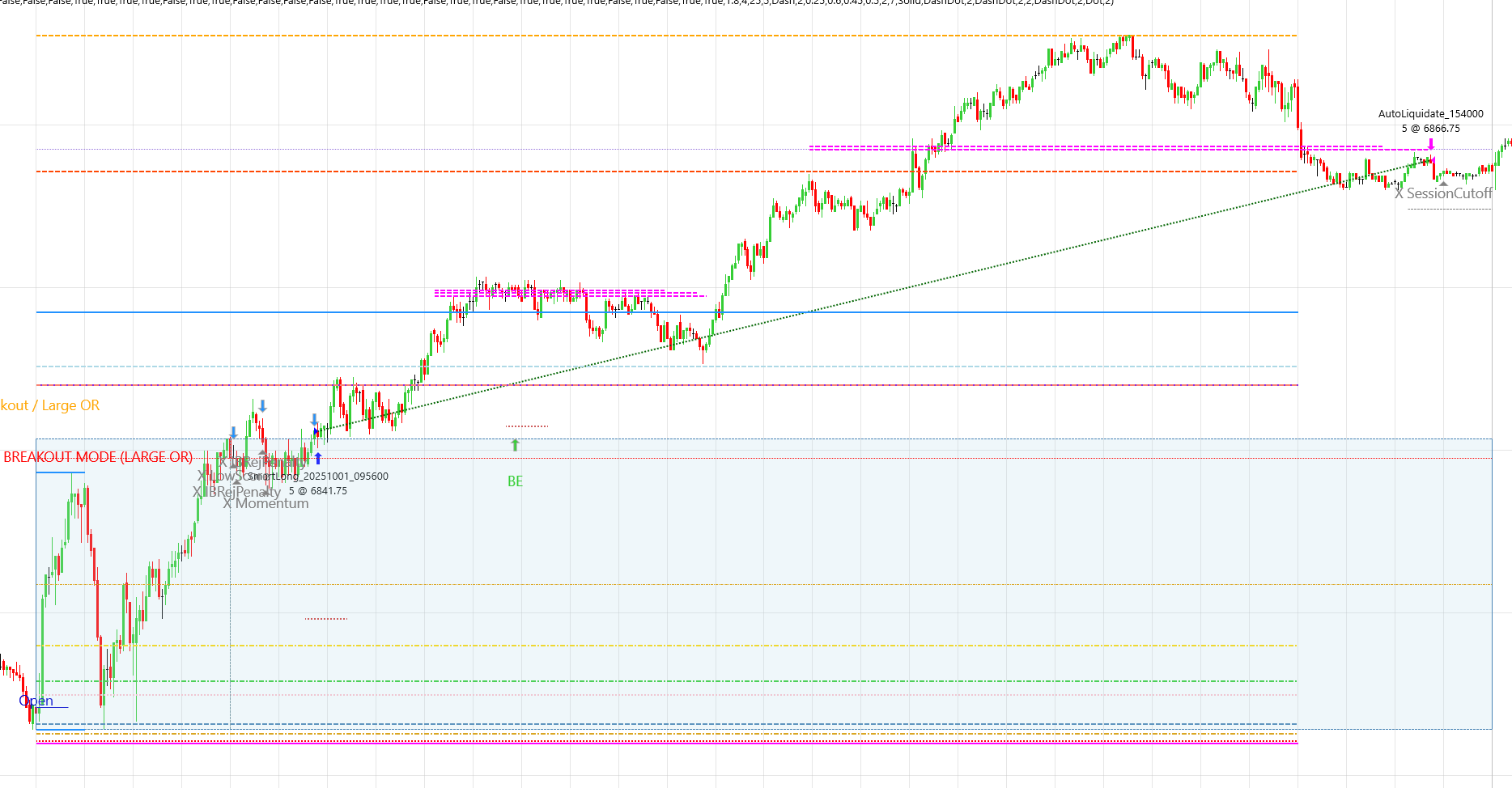
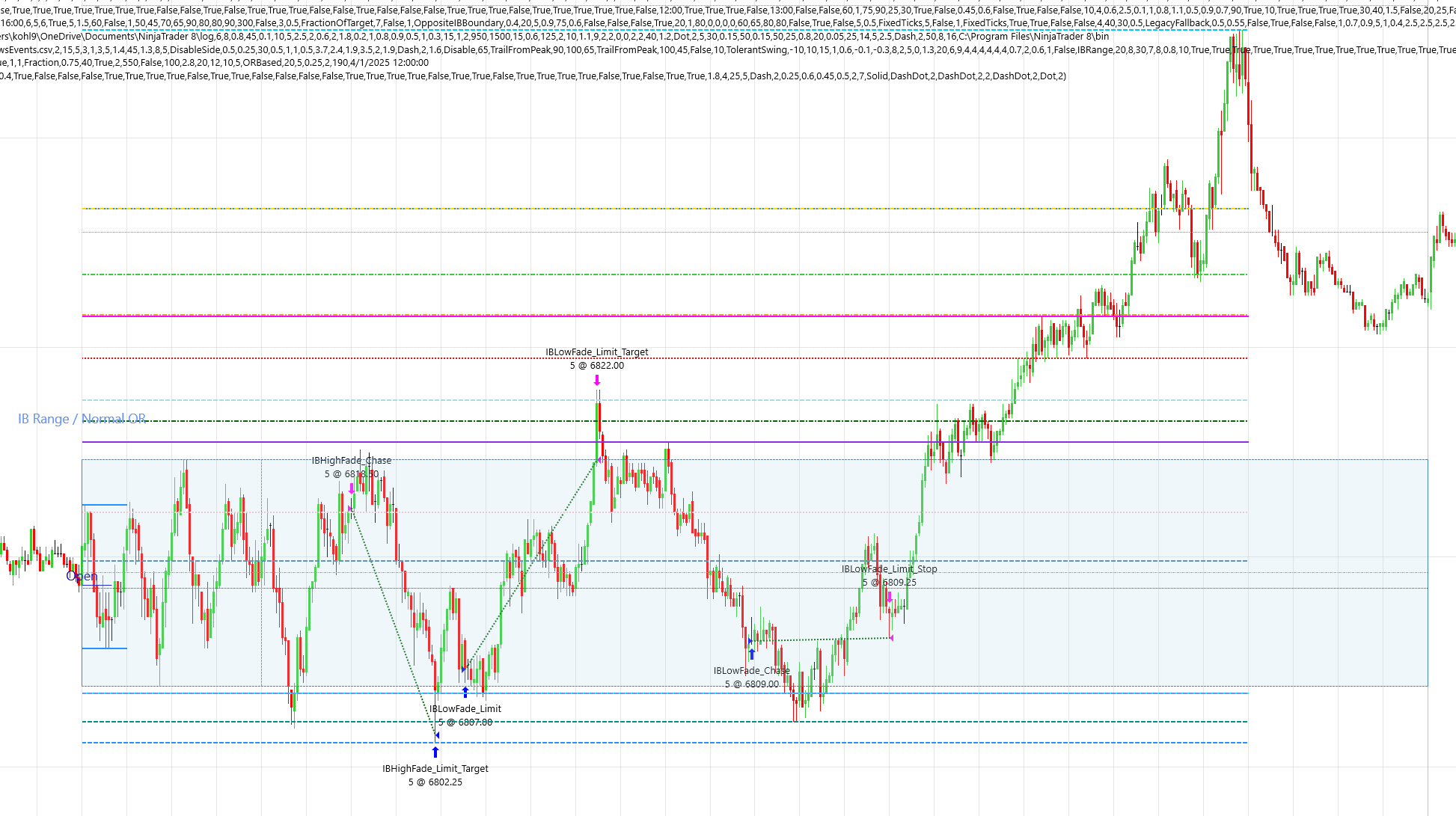
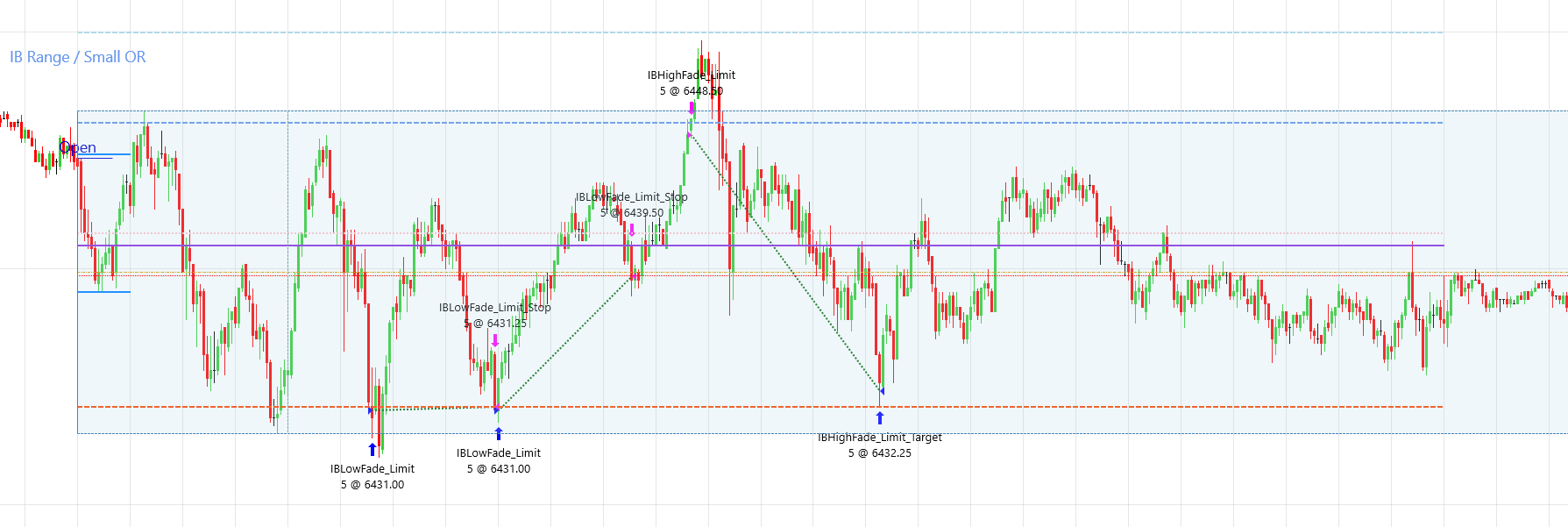
These screenshots show examples from strategy configurations used during development. They are provided only to help users recognize the difference between breakout trades and optional IB range fade trades; IB Range entries are disabled in the current default Prop Firm preset.
These are historical examples only. They are not a guarantee, prediction, or representation of future results, and they should not be interpreted as typical performance.
Breakout trade sample
Breakout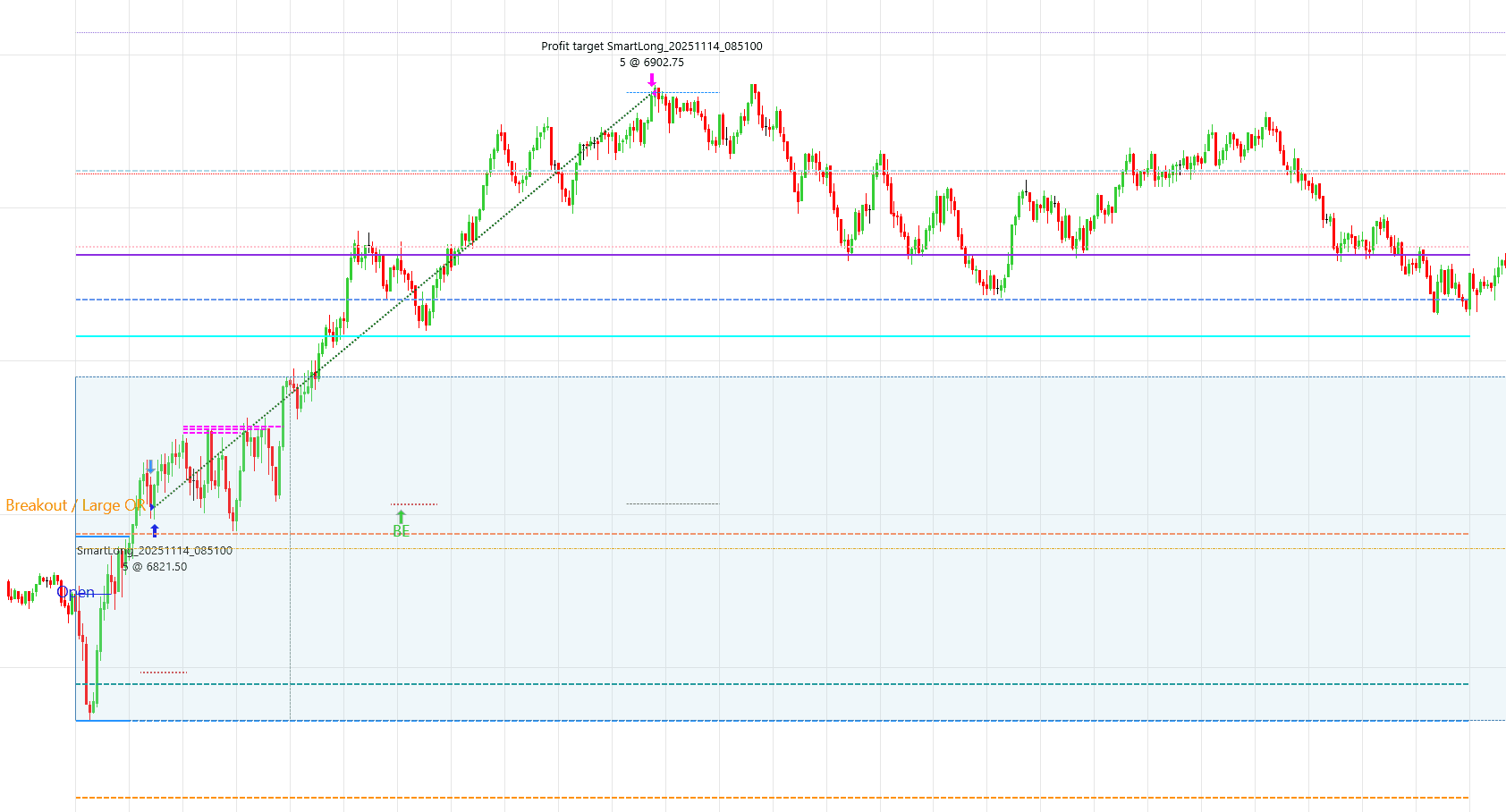
Breakout trade sample
Breakout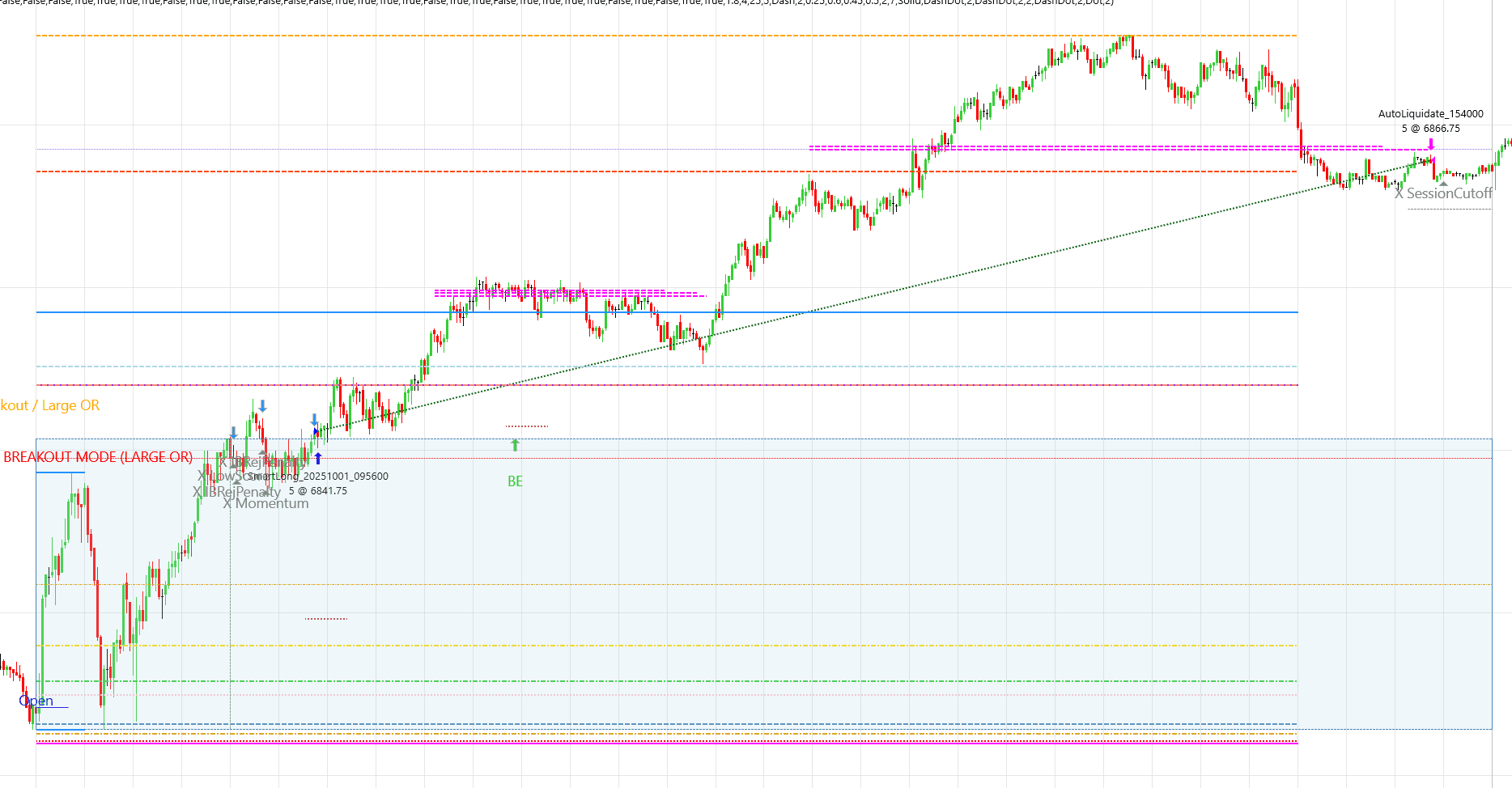
IB range trade sample
IB range fade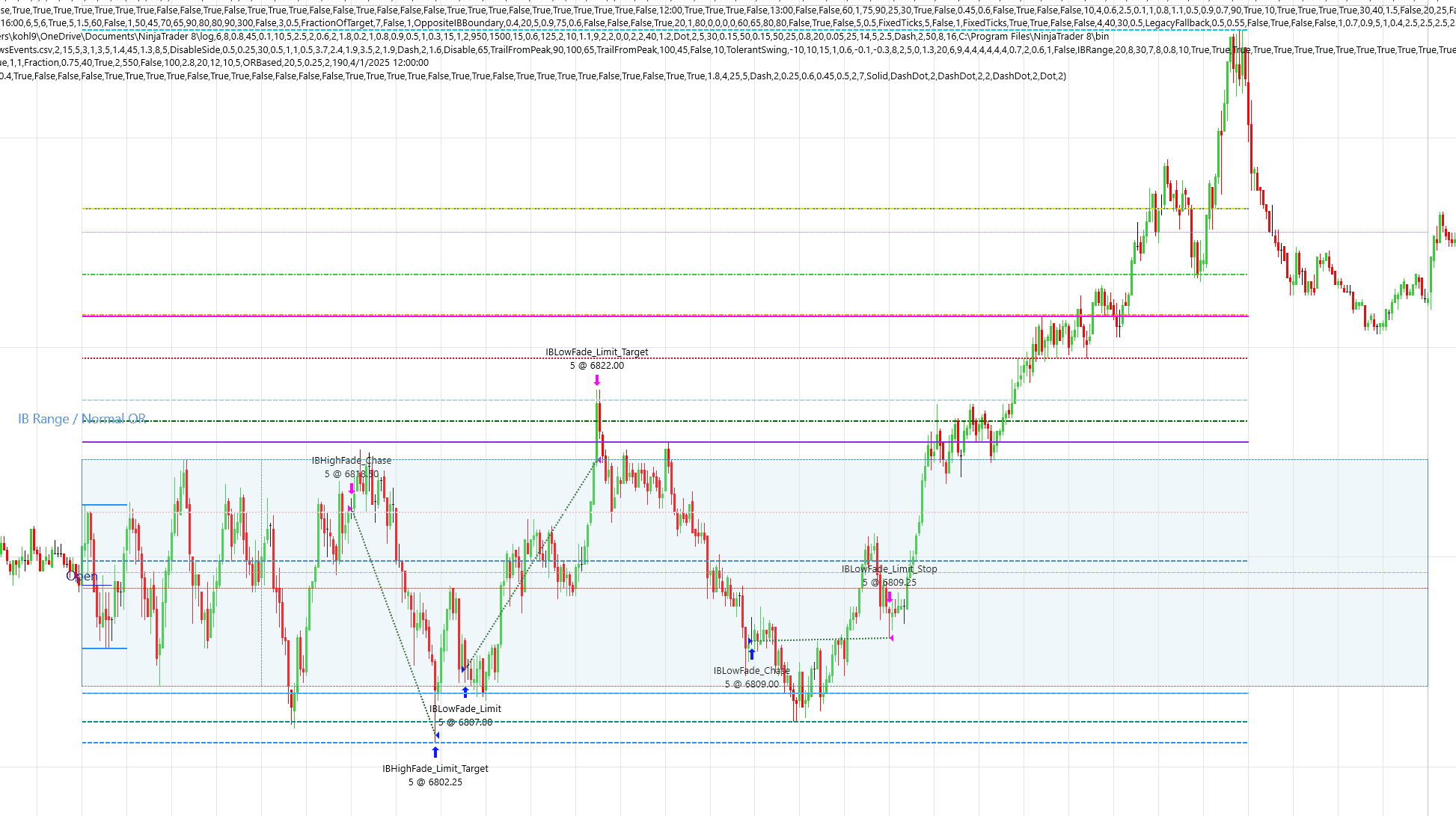
IB range trade sample
IB range fade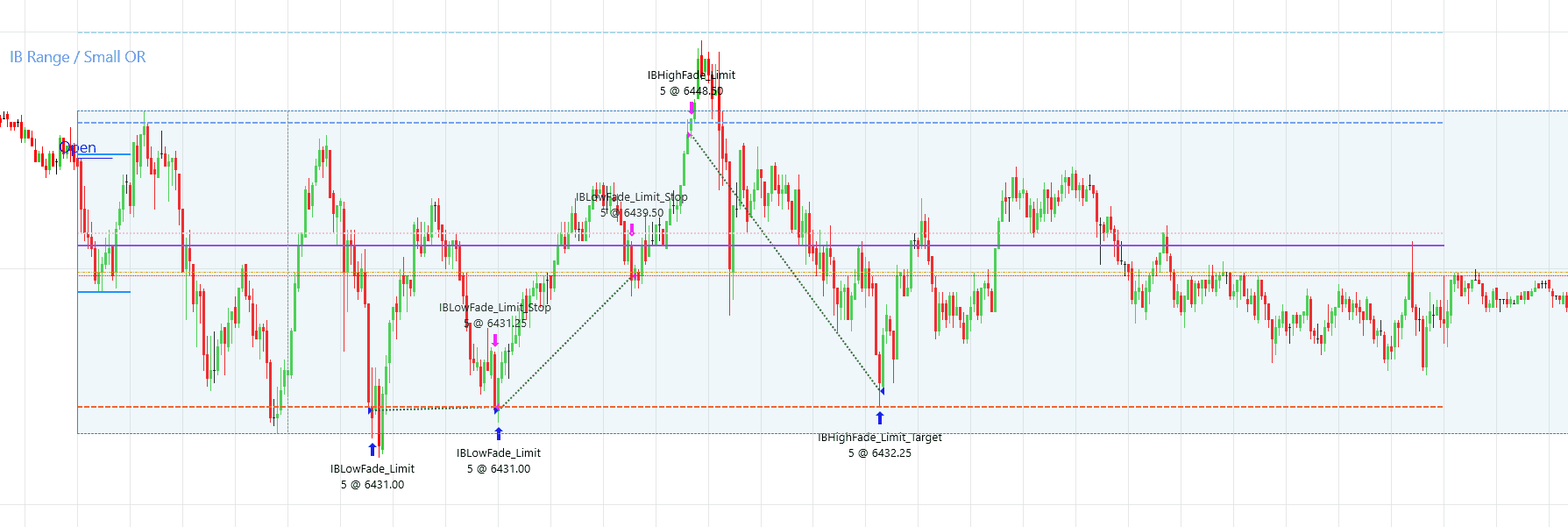
Hypothetical Backtest Results (Default Prop Firm Mode)
This section shows a historical simulation using the current default Prop Firm configuration: five MES contracts, automatic daily-profit protection, and IB Range entries disabled. It may include breakout and qualified rejection-reversal behavior. It is hypothetical and illustrative only.
These results reflect a specific configuration and should not be interpreted as expected or typical performance.
What Prop Firm mode means
Prop Firm mode is the strategy's default execution preset for a typical evaluation-style workflow. In the configuration shown here, it applies 5 MES to the main and base quantities, uses no runner, calculates a $750 daily-profit cap from a generic $3,000 target and 25% consistency allowance, enables strict daily-profit protection, and disables IB Range fade entries. When the profit cap is reached, the strategy is configured to exit an active trade and stop taking additional entries for that strategy session.
This preset does not connect to, identify, or guarantee compliance with any particular prop firm. Firms use different account rules, consistency calculations, drawdown methods, and limits. Users must confirm the settings against their own account before trading, and fills can complete beyond a configured profit threshold.
NinjaTrader reports 171 winning trades, 80 losing trades, and 1 breakeven trade. The breakeven trade is excluded from the displayed win rate. January through March 2025 supplies warm-up data for the strategy; no trades from that warm-up period are included. This simulation includes no commissions or slippage.
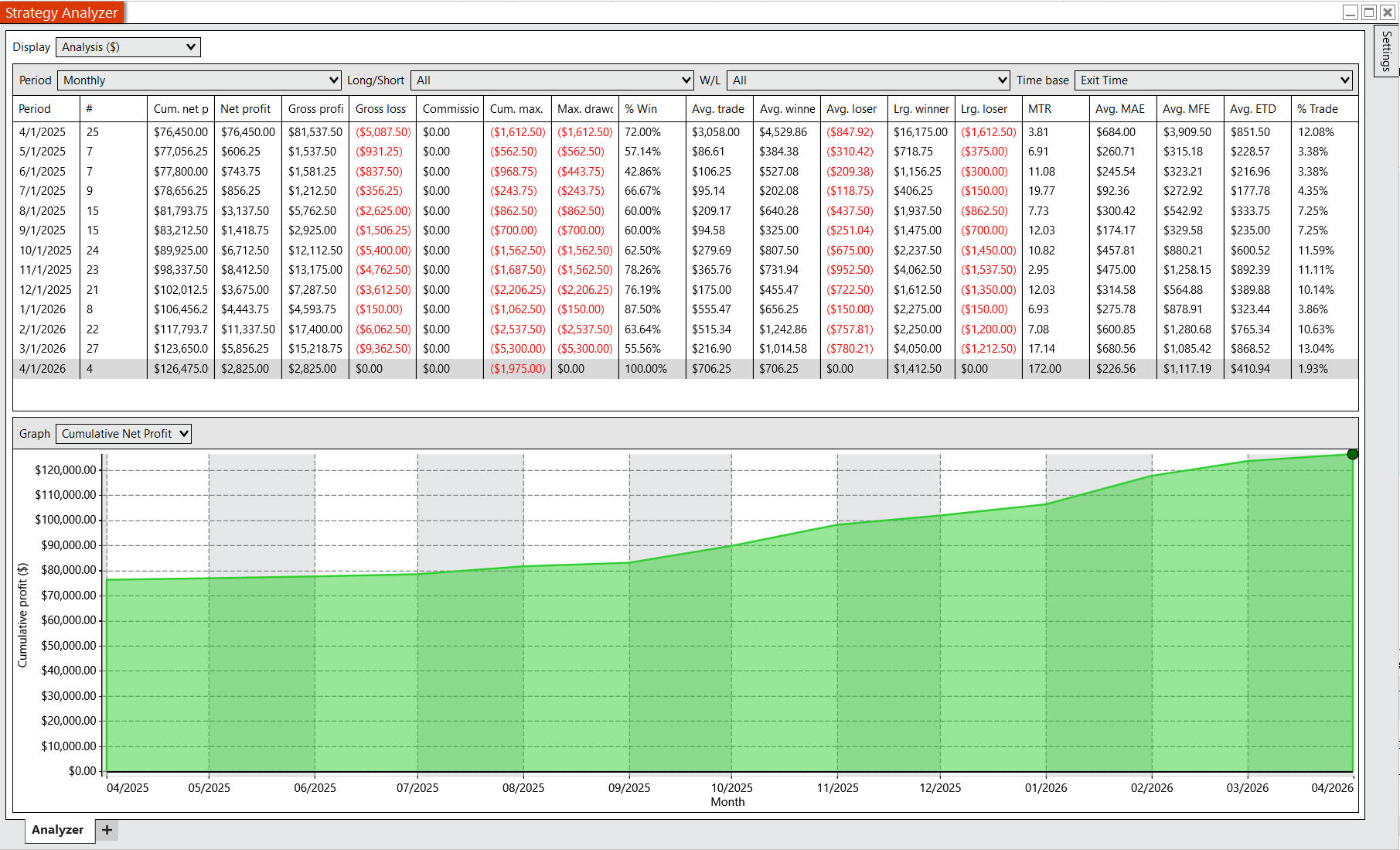
Strategy Analyzer output showing cumulative performance and trade distribution using the default Prop Firm configuration.
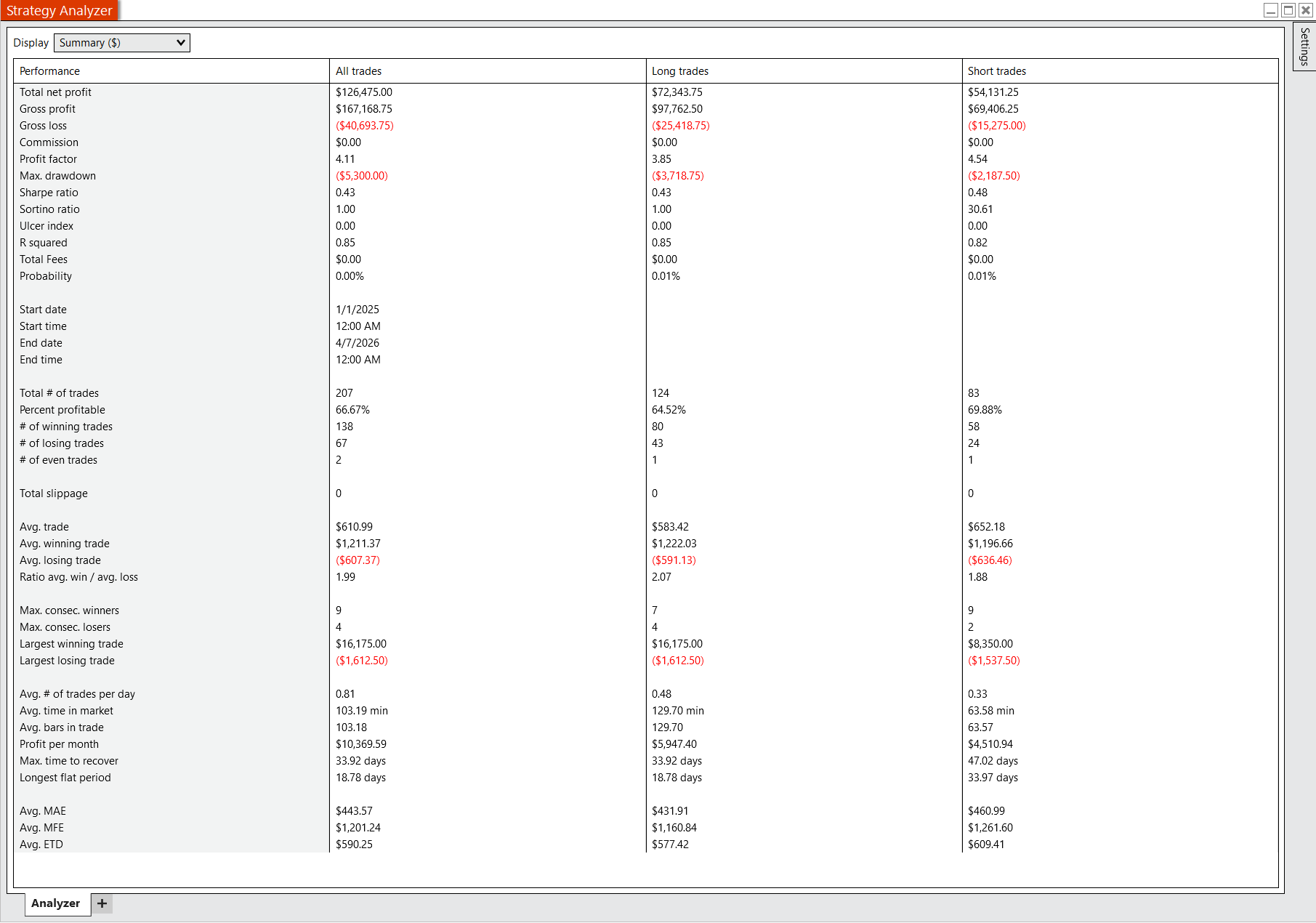
Summary hypothetical performance metrics generated from historical simulation using the strategy's default Prop Firm configuration.
Standard mode without prop-firm controls
This simulation shows the strategy in non-Prop-Firm mode using 5 MES. IB Range fade entries were disabled, as they were in the Prop Firm run, but the automatic prop-firm daily-profit controls were not applied. Both reports use the same historical data period, including the warm-up period before the first trades on April 1, 2025.
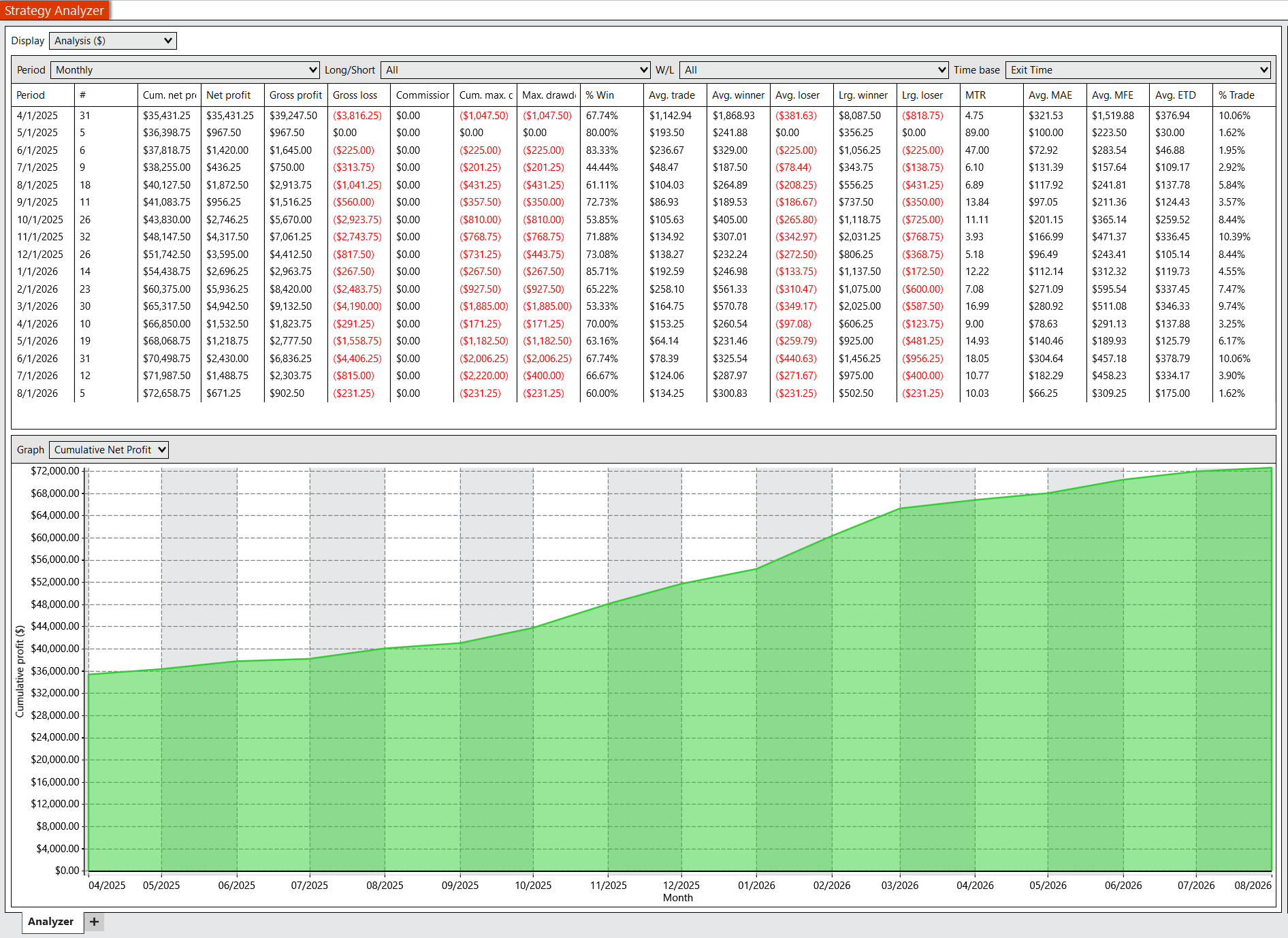
Non-Prop-Firm historical simulation using 5 MES with IB Range fade entries disabled.
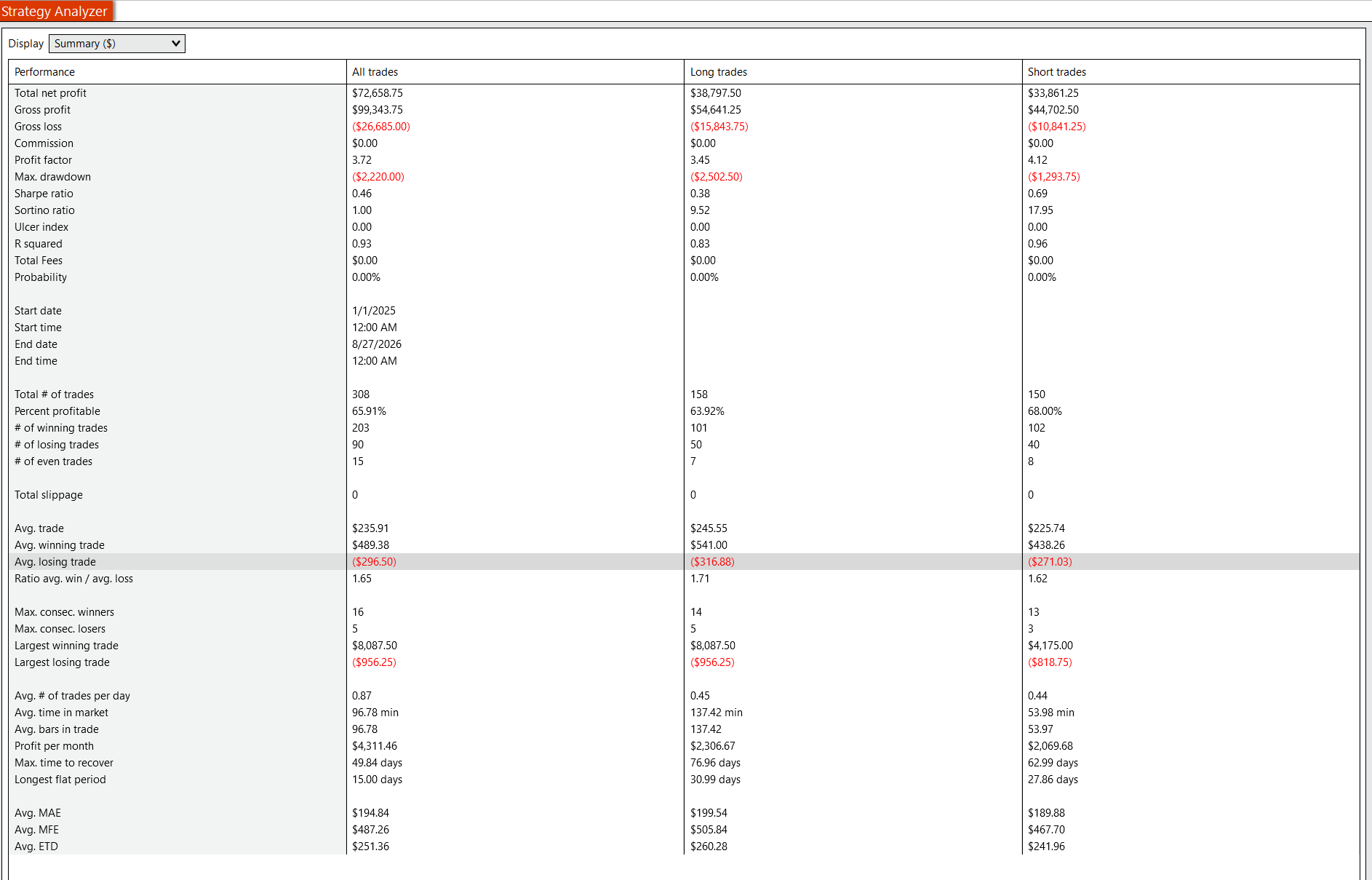
Non-Prop-Firm performance summary through August 27, 2026, with IB Range fade entries disabled.
Both sets of results are hypothetical historical simulations. The current Prop Firm run uses the predefined configuration described above and may include breakout and qualified rejection-reversal trades; IB Range entries were disabled. The non-Prop-Firm run also disabled IB Range entries, but did not apply the automatic prop-firm daily-profit controls. Neither set represents actual trading or indicates future results. Performance will vary based on market conditions, platform behavior, user configuration, execution quality, and trader decisions. Users who want only breakout-style behavior must configure that themselves within NinjaTrader. A separate TradeReign Core subscription, if used, enforces user-defined rules but does not alter the strategy's trade logic.
This page is provided for informational purposes only and does not constitute investment advice, a recommendation, or an offer to buy or sell any financial instrument.
Software & Strategy Risk Disclosure
This strategy is provided as software for use within the user's own NinjaTrader environment. It may contain errors, bugs, logical flaws, or unintended behavior that are not known at this time.
No guarantee is made that the strategy will function without interruption or operate as expected in all market conditions, data environments, platform versions, or user configurations.
TradeReign does not control, modify, or validate the internal logic of the strategy and is not responsible for losses, missed trades, duplicate trades, incorrect trades, platform issues, or other unintended outcomes resulting from its use.
Users are solely responsible for installing and configuring the strategy correctly, testing it in simulation before live use, monitoring it during operation, and managing all trading decisions and risk.
Use of this strategy is at the user's own risk.

Need NinjaTrader Installed?
The strategy installs into your own NinjaTrader environment. If you do not already have NinjaTrader installed, you will need to download and install it before you can add the strategy and use it on your chart.
NinjaTrader references are used to describe compatible workflow context only. They do not imply endorsement, approval, or certification.
Download NinjaTraderHow it works
The strategy logic lives inside the user's own NinjaTrader setup. TradeReign can sit alongside that workflow to enforce the account-level rules the user chooses.
Install in NinjaTrader
Import the strategy into your own NinjaTrader environment and attach it to the chart you want to use.
Configure Your Parameters
Adjust the inputs to match your workflow, or review the default configuration as a starting point only.
Add Rule Enforcement with TradeReign
Use TradeReign to prevent rule violations such as interfering with stops or targets, breaking loss limits, or trading outside your own guardrails.
What TradeReign does — and does not do
TradeReign does not provide investment advice, generate signals, place trades, or alter the strategy logic. All strategy behavior occurs inside the user's NinjaTrader setup. TradeReign only enforces user-defined discipline and risk rules at the account level.